Exciting changes are coming!
The Dignity Health website is moving to CommonSpirit.org to deliver a more patient-centered digital experience across CA, AZ, and NV.

CommonSpirit.org is an enhanced website that reflects our commitment to delivering a seamless, patient-centered experience and marks a new chapter in how we serve our communities across California, Arizona and Nevada.
Dignity Health is a member of CommonSpirit. As our digital presence continues to evolve, our website will transition to CommonSpirit.org, creating a more unified experience while carrying forward Dignity Health’s commitment to humankindness and focus on helping improve access to care for all.
Our new digital experience is designed with you in mind. Explore features that make it easier to find information, access services and connect with care:
Starting in late May 2026, this reimagined digital experience will adapt to your needs in real time, providing a browsing experience tailored to your location. It will also include familiar features like news and updates, health and wellness articles, and patient resources.
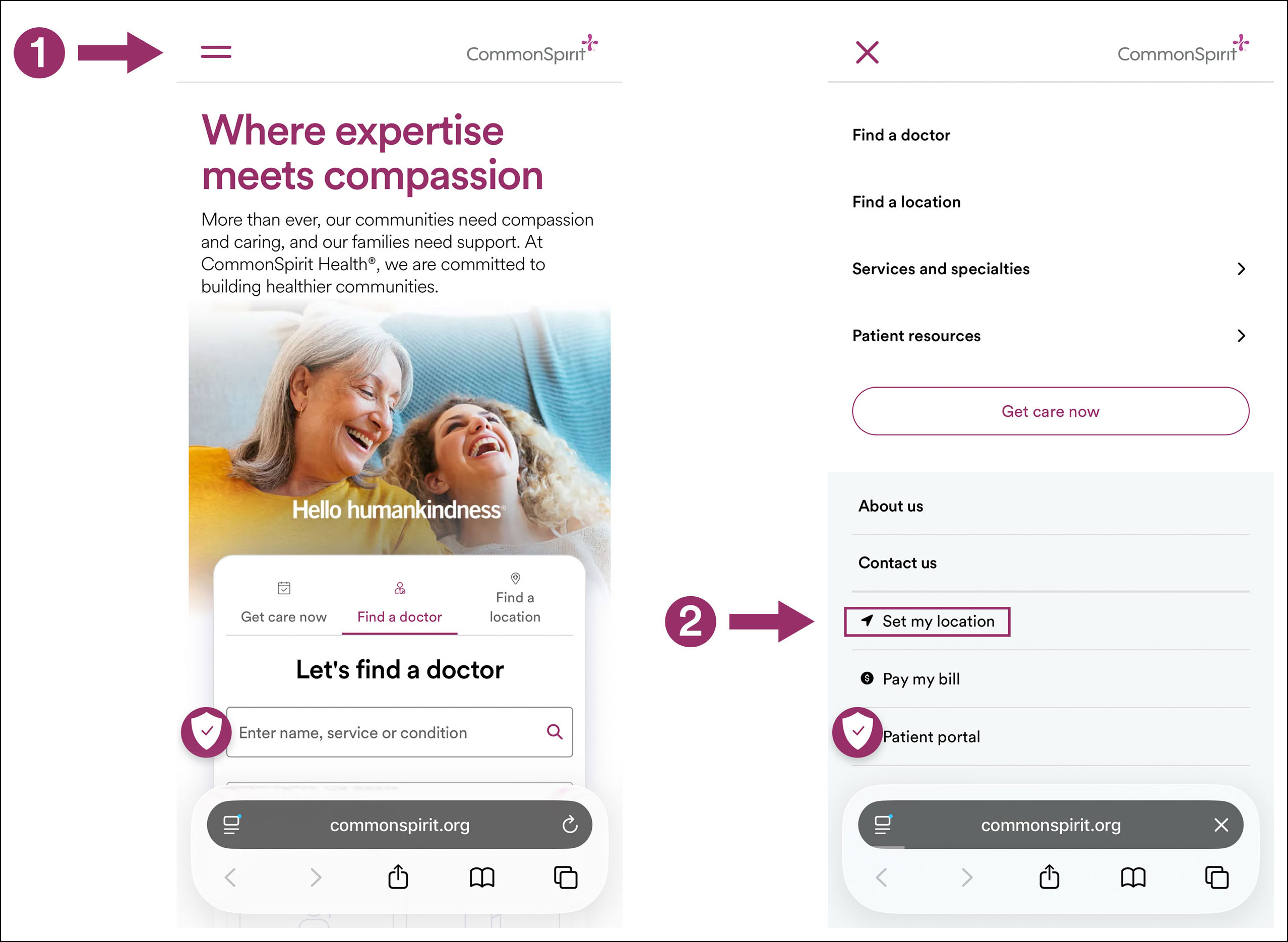
When you first visit CommonSpirit.org on a desktop computer or mobile device, you may be prompted to share your location so you can access content tailored to your area.
If location sharing is disabled in your browser or on your device, or if you accidentally decline the request, you can still set your location manually for the same experience:

Thank you for trusting Dignity Health for your care. This transition reflects our continued commitment to humankindness and to making care and information easier to access for patients and their loved ones.